Figma Grids
Figma Grids
Preview
Figma Grids
Figma Grids
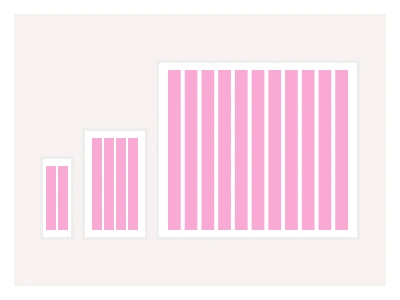
Layout grids in Figma are a powerful tool for organizing layouts and UI elements. Our Layout grid set of styles supports five standard breakpoints, including:
360px - for phones and small devices (2 columns)
600px - for larger mobile devices (4 columns)
1024px - for tablets and smaller monitors (8 columns)
1440px - for regular and large monitors (12 columns)
1560px - for larger monitors (18 columns)
Frames X Layout Grid system provides versatile styles for organizing content with precision. Designers can choose from Column, Modular, and Hierarchical grids for dynamic content arrangements.
Each grid type serves specific design needs:
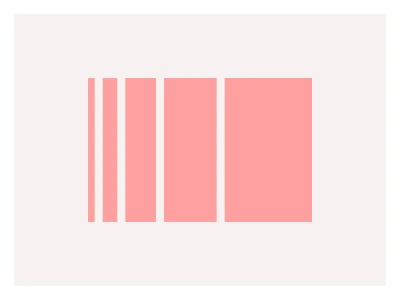
Column grids create consistent vertical rhythm and are commonly used in web design layouts
Modular grids provide balanced structures ideal for dashboard design
Hierarchical grids adapt to varying content structures, making them perfect for blogs and e-commerce websites.
The layout grid styles cover five breakpoints from phones to large monitors, with column, row and hierarchical grid types — column grids for vertical rhythm, row grids for dashboards, hierarchical grids for blogs and e-commerce.
Grids AI Prompt
Paste this into Claude, ChatGPT, or Figma Make:
Build a layout grid style system in Figma. Breakpoints: five frame presets — 375 for phones, 480 for large phones, 768 for tablets, 1024 for small monitors and 1440 for large monitors — each with a saved layout grid style. Column grids: 4 columns with 16px gutters and 20px margins on phones, 8 columns with 20px gutters on tablets, and 12 columns with 24px gutters and 80px margins on desktop, stretched to the container. Row grids: a 8px baseline grid for vertical rhythm and a 64px row grid for dashboard panels. Hierarchical grids: a nested column grid for a blog — a wide content column plus a sidebar — and a product grid of equal cards with a featured double-width cell. Specimen frames: the same page layout — header, hero, three cards, footer — laid out on each breakpoint with the grid toggled visible in red, proving the elements snap to columns. Name styles Grid/Breakpoint/Type so they sort in the style picker.
Figma Grids
Grids
layout grids
figma grids
grids styles
Styles
Premium Figma UI Kit & design resources
Explore high-quality Figma components, templates, and UI elements.