Figma Radio Button
Figma Radio Button
Preview
Figma Radio Button
Figma Radio Component
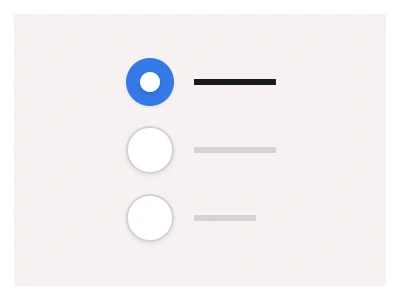
The Radio button component allows users to select a single option from a list of available interface options.
Radio components include smooth animations and adequate touch areas for easy selection on touch devices.
Radio Anatomy
| Set | Variants | Properties |
|---|---|---|
| RadioLabel | 40 | Size XL, Large, Medium, SmallState Disabled, Hover Unchecked, Unchecked, Hover Checked, CheckedDirection Right, Left |
| RadioCaption | 40 | Size XL, Large, Medium, SmallState Disabled, Hover Unchecked, Unchecked, Hover Checked, CheckedDirection Right, Left |
| RadioButton | 40 | Size XL, Large, Medium, SmallState Disabled, Hover Unchecked, Unchecked, Hover Checked, CheckedDirection Right, Left |
| Radio | 15 | Size Large, Medium, SmallState Disabled, Hover Unchecked, Unchecked, Hover Checked, Checked |
The radio family is four sets — a bare Radio at 22, 24 and 32px, RadioLabel and RadioCaption with the control on the Left or Right in four sizes, and a RadioButton card up to 122px — with Unchecked, Hover Unchecked, Checked, Hover Checked and Disabled states.
Radio AI Prompt
Paste this into Claude, ChatGPT, or Figma Make:
Build a radio button system in Figma as four component sets with shared states. Radio: the bare circle at Small 22, Medium 24 and Large 32px with five states — Unchecked with a grey border, Hover Unchecked with a tinted border, Checked with an accent ring and a centred dot, Hover Checked darker, and Disabled at reduced opacity. RadioLabel: the control with a text label on its Left or Right in Small, Medium, Large and XL sizes, the whole row one hit area with a touch target of at least 44px. RadioCaption: label plus a grey caption line beneath at 48 to 68px row heights. RadioButton: a bordered card holding the control, a bold label and a caption at 72 to 122px, the card tinting when Checked. Wire Unchecked to Checked as an interactive component with a smart-animate dot so the selection animates, keep the dot a nested shape that scales per size, and bind colours to variables for light and dark mode.
Figma Radio Button
Radio
radio button example
radio component
figma radio
Interactive component
Premium Figma UI Kit & design resources
Explore high-quality Figma components, templates, and UI elements.