Figma Activity Feed
Figma Activity Feed
Preview
Figma Activity Feed
Figma Activity Feed Template
The activity feed displays updates and team actions in a chronological timeline in Figma. It highlights recent changes, project rights transfers, and common team activity interactions.
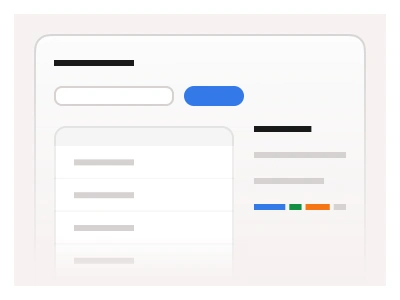
The activity dashboard includes connected update messages. The layout consists of Feeds to show the timeline and Inputs to filter timeline results.
The template ships as a Project activity page in desktop, tablet and mobile widths: a filters panel with Members, Tags, Date range, Dataset and Events, a results count, a chronological timeline of ten entries with avatar, handle, time and status dot, and pagination.
Activity feed vs feeds vs notifications
The activity feed is a page, not a control. It composes the Feeds component into a dated timeline and pairs it with a filter column, so pick it when a team needs to audit who changed what and when. For a single stream of posts without filters use Feeds on its own; for transient system messages that users dismiss, use Alerts and Notifications or Toast.
Each timeline entry is one Feeds instance: the status dot colour, the bold entity in the message and the timestamp are all component properties, so the ten sample rows are edited from the properties panel rather than by detaching. The filter column is built from the kit's Select, Chip list and Date input components, and the pagination row is the Pagination component. Light and dark mode come from the kit's colour variables, so the page re-themes with a mode switch and no manual recolouring.
Activity Feed AI Prompt
Paste this into Claude, ChatGPT, or Figma Make:
Build a project activity feed page in Figma for desktop, tablet and mobile. Top bar: logo, Home, Products, Pricing and Contact dropdown menus, and a search field. Desktop: a left filter column with a Members select reading All members (25), a Tags field holding removable #design and #test chips, a Date range input with a calendar icon, a Dataset select, and an Events list of Members, Data Sets, General Settings, API Settings, Commands and Documents. Main column: Project activity title, a two-line description, a Learn more link with an arrow, an Export data secondary button with an upload icon, a 98 results found line with a view 10 per page link, then a vertical timeline. Each entry: a 32px avatar with a green or orange status dot, bold name, grey @handle, a right-aligned timestamp like Sep 4 at 8:22 AM, and a one-line message with bold entities such as project names and emails. End with numbered pagination 1 to 10 and a next arrow. On tablet move the filters above the list into a two-row grid; on mobile stack everything in one column.
Figma Activity Feed
Figma Activity Feed
activity feed
figma timeline
activity feed dashboard
Figma dashboard
Premium Figma UI Kit & design resources
Explore high-quality Figma components, templates, and UI elements.