Figma Calendar Sheet
Figma Calendar Sheet
Preview
Figma Calendar Sheet
How to Use Figma Calendar Sheet
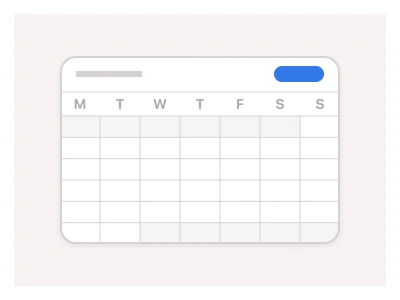
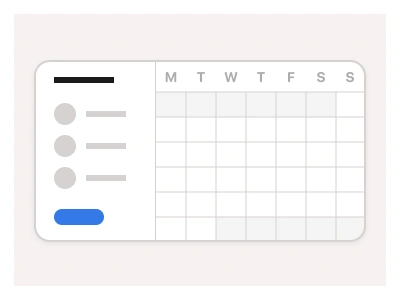
The Calendar Sheet displays dates, months, and years in a standalone view, allowing users to select across different time ranges in a compact view. Though calendar sheets can operate as independent elements, they can be integrated as building blocks within more complex components such as Date Picker and Calendar Blocks. For example:
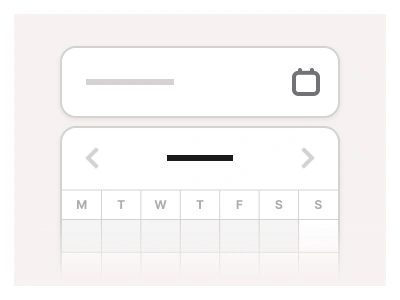
Combining a calendar sheet with an Input component creates a complete Date Picker component. You can also nest the sheet inside cards to add contextual date navigation to your UI.
Calendar Sheet Anatomy
| Set | Variants | Properties |
|---|---|---|
| YearCalendar | 3 | Size Small, Medium, Large |
| MonthCalendar | 3 | Size Small, Medium, Large |
| DateCalendarAlternate | 3 | Size Small, Medium, Large |
| DateCalendar | 3 | Size Small, Medium, Large |
The calendar sheet set has four pickers — DateCalendar, DateCalendarAlternate, MonthCalendar and YearCalendar — each in Small 268px, Medium 320px and Large 380px widths, with built-in variants for prototyping full navigation.
Calendar Sheet AI Prompt
Paste this into Claude, ChatGPT, or Figma Make:
Build a calendar sheet component in Figma as four sets, each in Small 268px, Medium 320px and Large 380px widths. DateCalendar: a header with previous and next chevrons and the month and year in bold, a weekday row, then a seven-column grid of day cells with Default, Hover, Selected and Today states and muted days from the adjacent months. DateCalendarAlternate: the same grid with the month and year as clickable dropdown labels that open the month and year pickers. MonthCalendar: a three-by-four grid of month pills with the current month highlighted and year arrows in the header. YearCalendar: a three-by-four grid of years with the same header. Wire the headers as interactive components so clicking the month label swaps to MonthCalendar, clicking a month returns to the date grid, and the chevrons step months, giving a full navigable prototype. Keep every cell on a fixed square so the three sizes align, and expose a Selected date text property on the day cell.
A key benefit of using the Calendar Sheet component is that it comes with built-in Figma variants for day, month, and year selection so that you can prototype full calendar navigation right out of the box.
Figma Calendar Sheet
Calendar Sheet
calendar ui
calendar component
calendar sheet component
Interactive component
Premium Figma UI Kit & design resources
Explore high-quality Figma components, templates, and UI elements.